Routenna for iPhone
Record the meeting across the table. Then put the phone away.
Most client meetings that matter happen in a room, not on a call. The iPhone app records them, keeps going with the phone locked on the table, and sends the meeting while it is still going on.

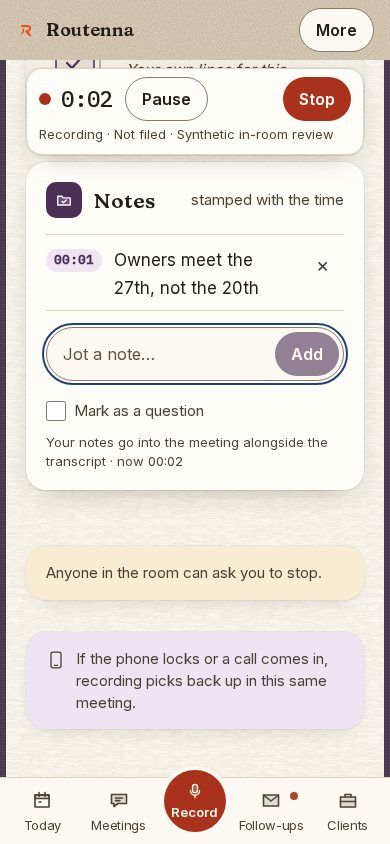
Real screen · fictional organization
Recording on the phone: the timer, Pause and Stop, and a note field.
Every screen on this site is the real product, shown with a fictional organization. No client data appears in any of them.
Built for the meeting in the room
What the app does
It keeps recording with the phone locked
Start, lock the phone and set it face down. The lock screen carries the recording with Mark, Pause and Stop, and all three work without unlocking.
The meeting leaves the phone while you talk
The recording is saved in three-minute parts, and each part is sent as soon as it closes. A flat battery or a crash costs the last few minutes, not the meeting.
Tap Stop and walk away
Whatever is left to send finishes in the background. You do not have to keep the app open in the car park.
Paused means nothing is kept
While a recording is paused, nothing the microphone hears is written, sent or transcribed. The pause shows as a gap in the transcript.
The lock screen is discreet
Until a recording is filed to a client, the lock screen says only “Recording” and the time. The meeting and client names appear once it is filed.
It tells you when the meeting is ready
After Stop, a note counts through the transcript and the summary, then says the meeting is ready to open.
The rest of Routenna, in your pocket
The app is the whole product, not a recorder that hands off to a computer: today’s meetings, what each one left behind, and who owes what.
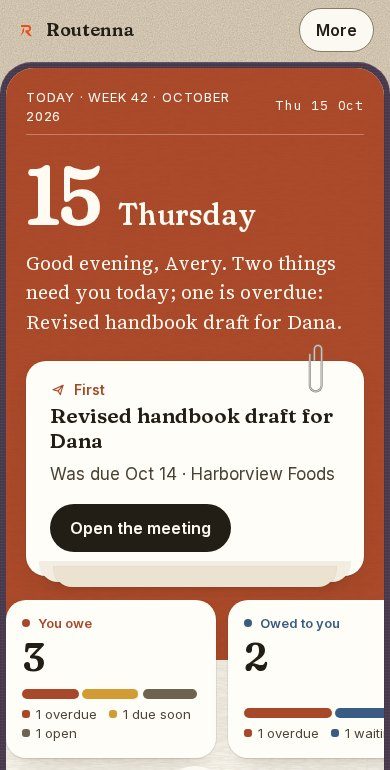
Real screen · fictional organization
Today: what is overdue and the first thing to do.
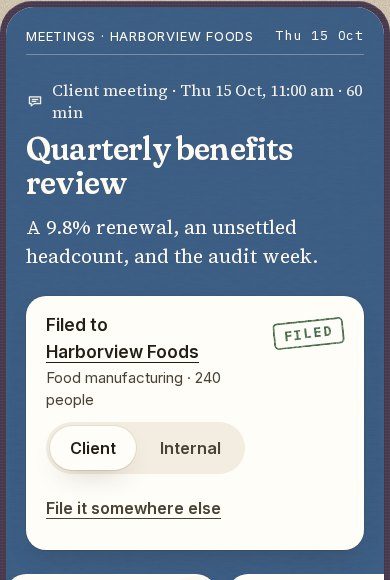
Real screen · fictional organization
A meeting, filed to its client.
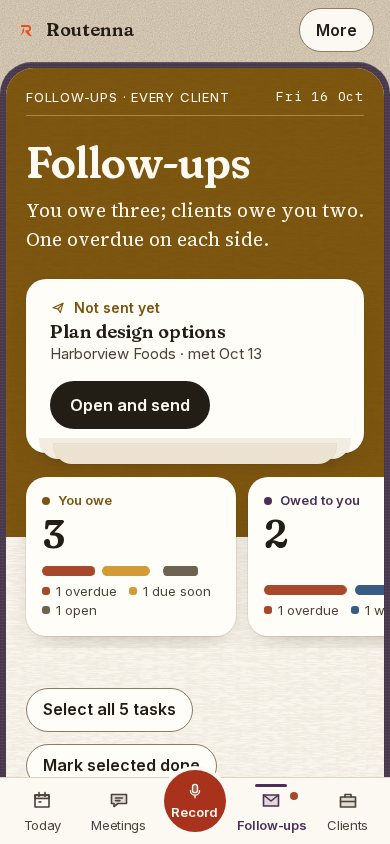
Real screen · fictional organization
Follow-ups: what you owe and what clients owe you.
Before you download it
How Routenna handles what it records is on the security page, checked against the code.
- Do I need an account?
- Yes. The app signs in to the same Routenna account as the website, and everything recorded on the phone is there on a computer too. The sign-in email opens the app directly.
- What about video calls?
- The iPhone app is for the meeting in the room. For Zoom, Google Meet and Microsoft Teams, Routenna’s notetaker joins from your calendar, set up once on the website.
- What happens after the meeting?
- Routenna writes up what was decided, what was promised and what is still open, each tied to the moment it was said. Commitments it is confident about count in your follow-ups automatically; you mark them done or dismiss them, and every change can be undone.
- Which devices?
- iPhone. Recording needs microphone access, and sending the meeting and transcribing it need an internet connection.
- What about consent?
- Announce the recording and get the consent your situation requires before you start. Your organization’s consent and retention settings apply on the phone exactly as they do on the website.
Getting started
Take it to your next client meeting.
Download the app, sign in, and record. The plans and their prices are on the site rather than behind a call.